If this is your first visit, be sure to
check out the FAQ by clicking the
link above. You may have to register
before you can post: click the register link above to proceed. To start viewing messages,
select the forum that you want to visit from the selection below.
Ok we have solved the problem in our development version. It was due to an incorrect white balancing. If you want to test it I can send you a beta key. Thank you again for reporting it!
Thank you, file received and yes it's yellow in Zephyr . We'll look into that.
As for the external converter, a commercial alternative is certainly Photoshop, where you can convert raw files in batch. I think that also the free Irfanview has a batch conversion utility. As a third alternative you can use the command line application of imagemagick.
Thanks for looking into this for me, I've sent the file to the supplied email address as a gdrive link (as the file is 25.1mb).
In the meantime, is there a conversion tool you recommend?
thanks for sharing the information about the problem. I think this is due to a wrong colorspace conversion done inside Zephyr. Zephyr makes use of the dcraw library for dealing with raw formats, but I don't think there is a bug with all the dng file. It's more probably a specific with some dng files. If you can send us a sample file we can have a look at it (you can simply send the file at support@3dflow.net or load them in an external website like wetransfer).
Meanwhile, my suggestion is to convert the files with an external tool to an uncompressed 16 bit or 32 bit format like tiff, if you want to use the full image information in Zephyr.
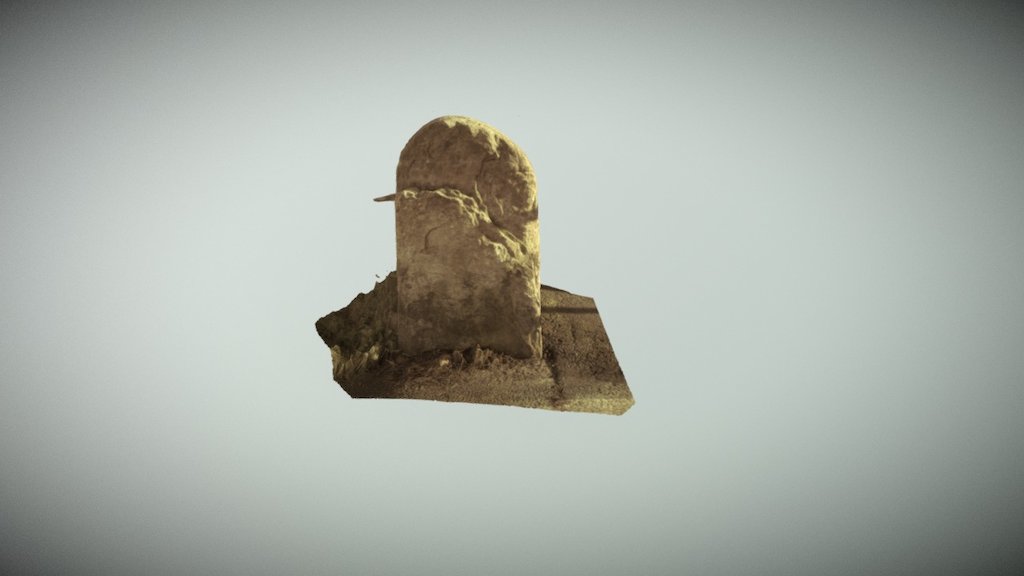
I shot an object in raw (.dng) and when loaded into 3DF Zephyr they are rendered as yellow. Those same images render properly in irfan view which suggests that either I am not loading the images properly or there is a bug related to .dng files.
The forums will not allow me to attach a .dng file so I have converted it to .jpeg and attached that along with a screen capture of the same image within the software.
The model generated from the dng files can be found here:


Leave a comment: